

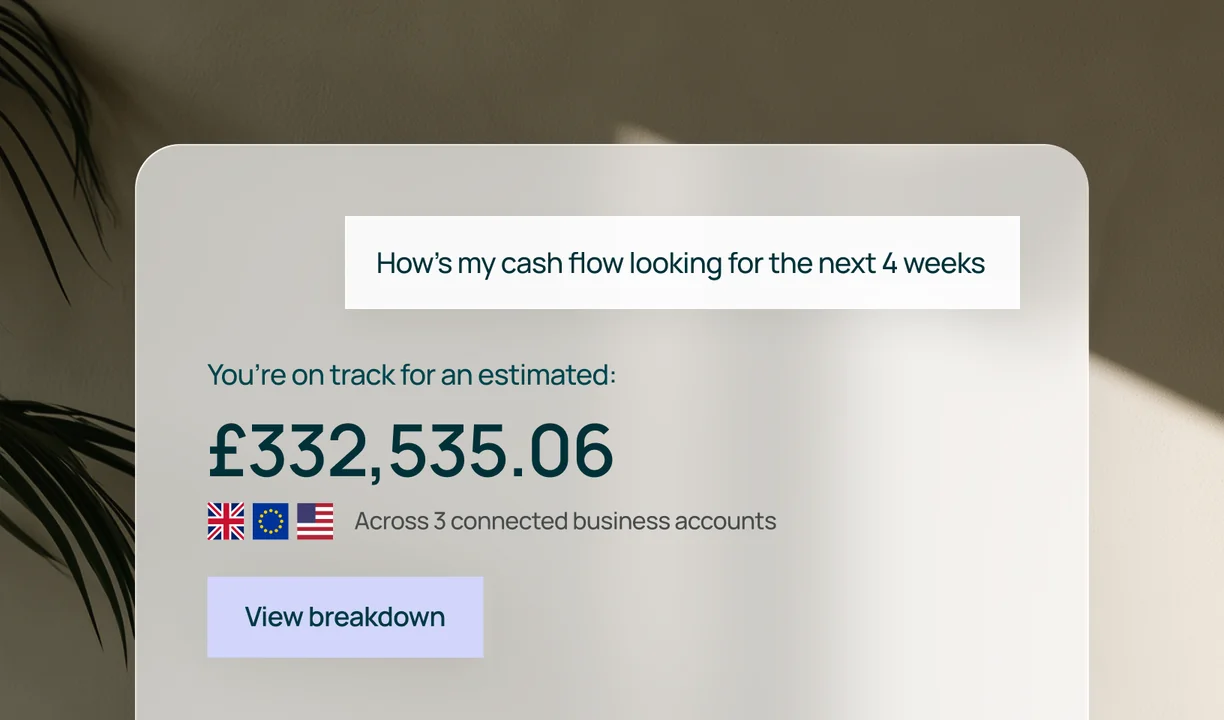
Know what you hold
See balances across all of your GBP, USD and EUR accounts in seconds.



Connect Triffin to your AI assistant and see how you can utilise your Triffin Credit, ask about your business accounts, bills, payments and cash flow - all in one place.
Works with: Claude, ChatGPT & MCP-compatible assistants.
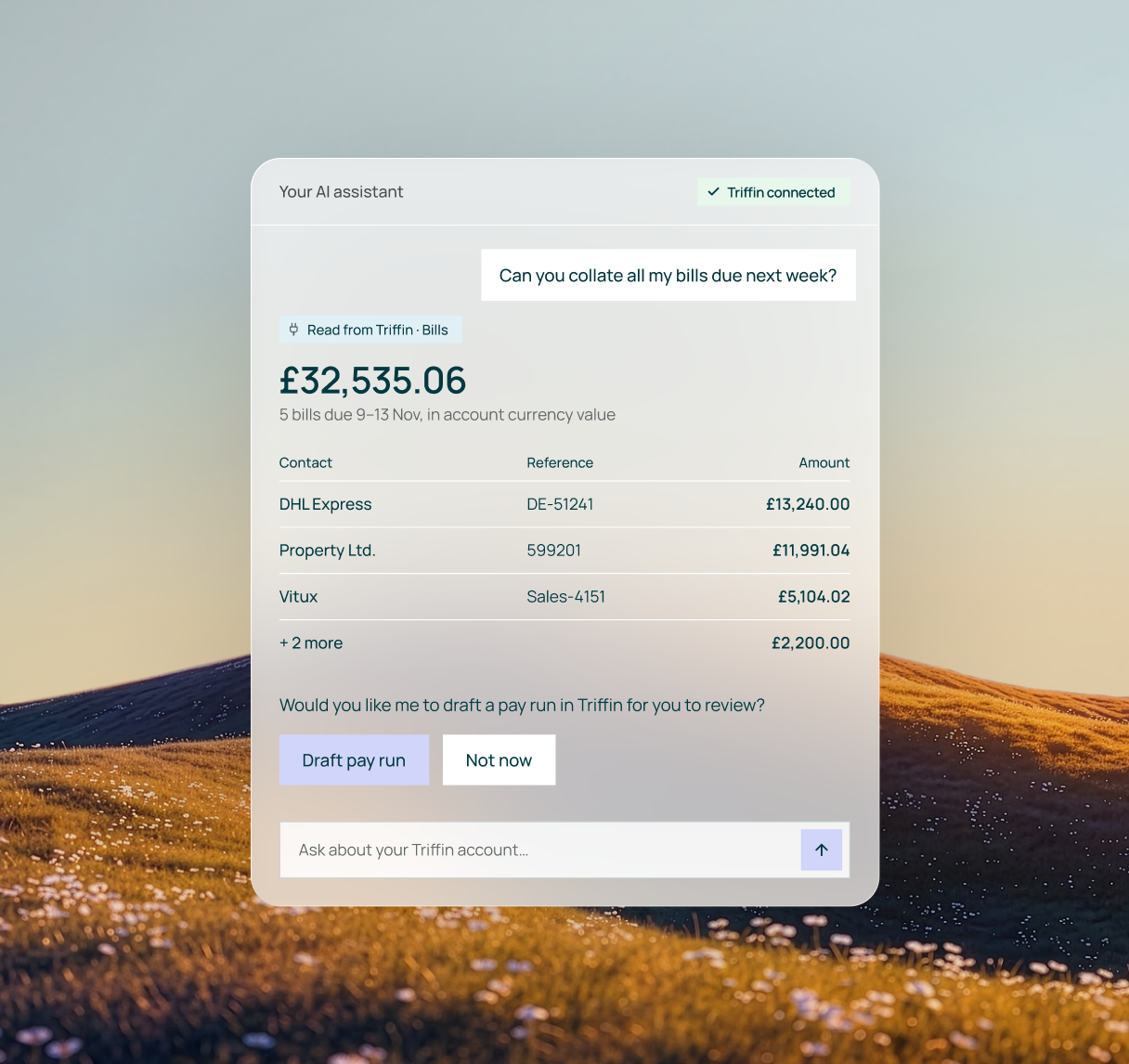
Join the next generation of businesses, growing with Triffin








Ask your AI assistant about the parts of Triffin you use every day.
See balances across all of your GBP, USD and EUR accounts in seconds.
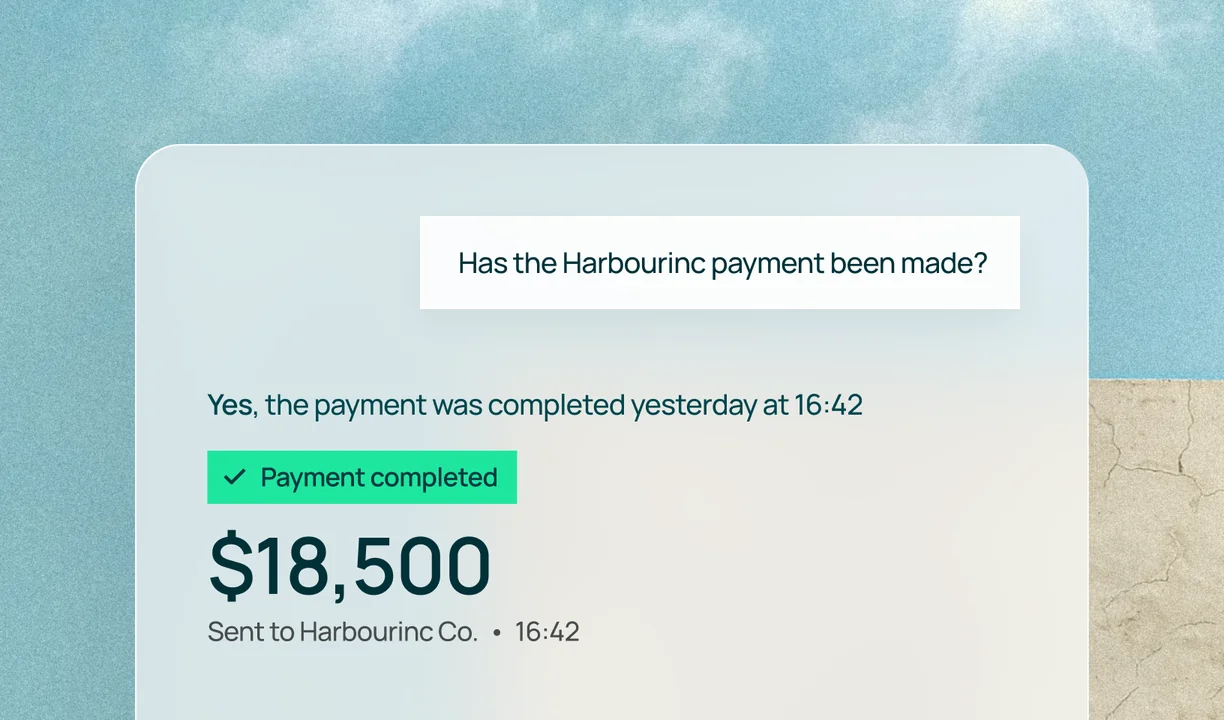
Check what’s gone out this week and where a payment has got to.
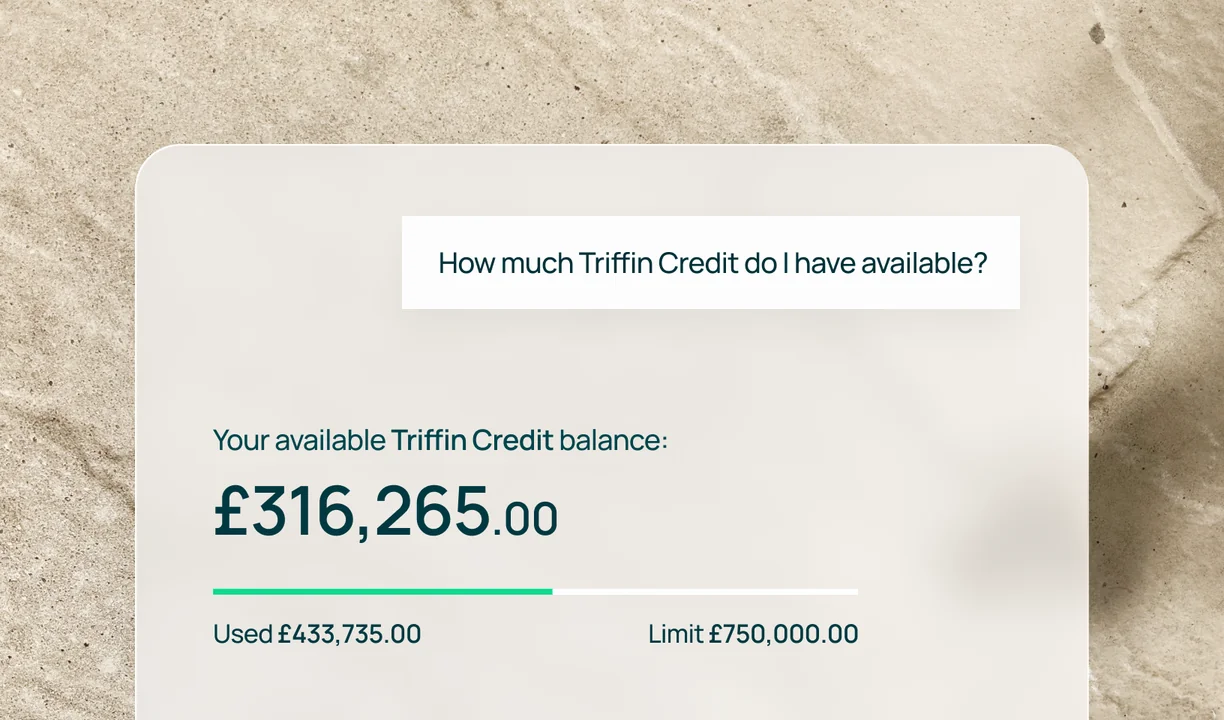
Check your limit, what you’ve used and what’s available.
Set up in three steps, with the AI assistant you already use.
Sign in to Triffin and select the MCP icon in the left-hand sidebar to start a new connection.
Pick Claude, ChatGPT or another MCP-compatible assistant, then follow the steps to approve the connection.
Balances, payments or your Triffin Credit. Get answers from your live Triffin data, right in the conversation.





MCP (Model Context Protocol) lets your assistant read the Triffin information you’ve approved, so you can ask about your finances in the conversation where you already work. Choose Claude, ChatGPT or another compatible assistant, sign in once and start asking.
Connect Triffin to the provider of your choice and let Triffin MCP power your workflow.
Check balances, payments or your Triffin Credit with a single question, whenever it suits you.
Answers come from your live Triffin account, not a spreadsheet exported last week.
Your Triffin account connects through an authenticated sign-in, so you decide which assistant can see your information. Review your assistant’s own permissions and privacy settings before you connect.

Already a customer? Connect your assistant today. New to Triffin? Create your AI business account first.


Funding subject to credit checks, approval, underwriting and our lending criteria. Capital provided by Triffin Capital Limited, registered with the FCA, company number 16268227.
Run Viable Limited (t/a Triffin) is an agent of Plaid Financial Ltd, an authorised payment institution regulated by the Financial Conduct Authority under the Payment Services Regulations 2017 (Firm Reference Number: 804718). Plaid provides you with regulated account information services through Triffin as its agent.
United Kingdom
Payment and e-money services are provided by The Currency Cloud Limited. Registered in England No. 06323311. Registered Office: 1 Sheldon Square, London, W2 6TT, United Kingdom. The Currency Cloud Limited is authorised by the Financial Conduct Authority under the Electronic Money Regulations 2011 for the issuing of electronic money (FRN: 900199).
European Union
For clients based in the European Economic Area, the issuance of e-money and the provision of related payment services for Run Viable Ltd are provided by CurrencyCloud B.V. CurrencyCloud B.V. is registered with the Dutch Chamber of Commerce in the Netherlands under number 72186178. Registered office: Mr. Treublaan 7, 1097 DP, Amsterdam, Netherlands. CurrencyCloud B.V. is licensed and regulated by De Nederlandsche Bank as an Electronic Money Institution (Relation Number: R142701).
United States
Payment services in the United States are provided by Visa Global Services Inc. (VGSI), a licensed money transmitter (NMLS ID 181032) in the states listed here. VGSI is licensed as a money transmitter by the New York Department of Financial Services. Mailing address: 900 Metro Center Blvd, Mailstop 1Z, Foster City, CA 94404. VGSI is also a registered Money Services Business ("MSB") with FinCEN and a registered Foreign MSB with FINTRAC. For live customer support, contact VGSI at (888) 733-0041.
All testimonials, reviews, opinions or case studies presented on our website may not be indicative of all customers. Results may vary and customers agree to proceed at their own risk.